
Defhander
- Category: Mixed Reality
- Project date: 07 November, 2024
- Time: 4 weeks
- Made with: Unity, C#, MetaXR SDK
Play a tower defense on your table!
This is a mixed reality tower defense game. You can place towers on the playfield and buy upgrades from the shop to help defeat the monsters that are trying to invade the castle.
You can push or throw enemies of the map. Or you can block them with your hand. You can even pick them up. And if you save up enough money you can even pickup the map itself.
This projects was fun to make with a lot of different challenges.
I mostly worked on setting up mixed reality in unity and making everything work with MR throughout the project. I also worked on the enemies and some buttons and helped with game logic.
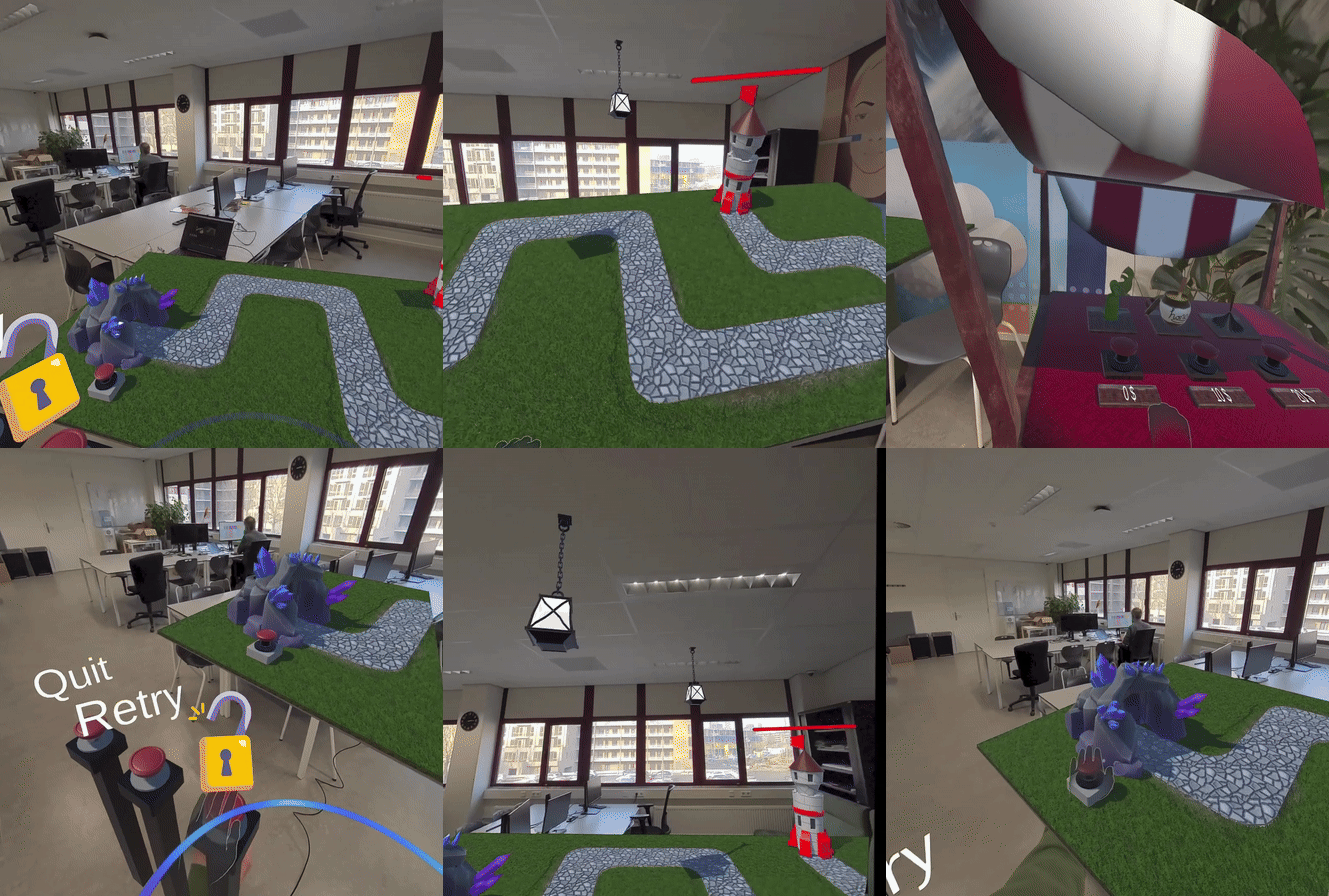
Adjust to your likings
Adjust the position of the playfield and the shop to your likings!
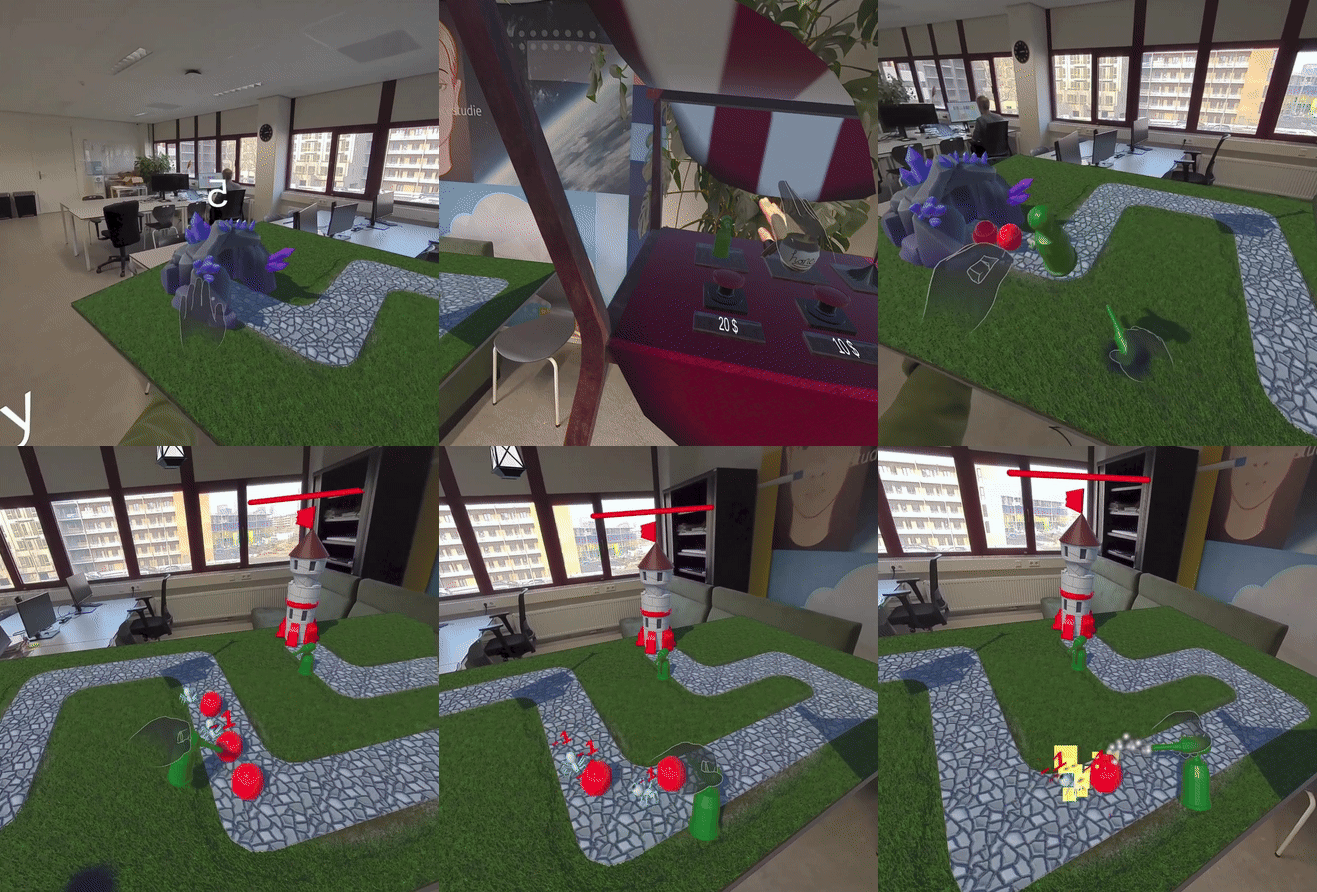
Use turrets to defend
Place turrets anywhere on the field to defend against incoming enemies! You can buy them in the shop.
Buy the hand power-up to interact with the enemies
You can push or throw enemies off the map, block them with your hands, or even pick them up!
This is the hand power-up code:
using System.Collections;
using UnityEngine;

public class HandCollision : MonoBehaviour
{
  [SerializeField] private LayerMask handLayer;
  [SerializeField] private LayerMask defaultLayer;

  private Transform[] handObjects;

  private float waitTime = 20f;

  private void Start()
  {
      GetHandObjects();

      // Set hand layer to hand to disable collision
      // For some reason gets set to default when game start so set it back here
      foreach (Transform t in handObjects)
      {
          t.gameObject.layer = LayerMask.GetMask("Hands");
      }
  }

  // Do this every time you do something with the hands and their layer because the active objects change constantly
  private void GetHandObjects()
  {
      // Gets all objects under hand objects
      handObjects = GetComponentsInChildren();
  }

  public void ActivatePowerUp()
  {
      GetHandObjects();

      // Set layer for each object to default to enable collision
      foreach (Transform t in handObjects)
      {
        // For some reason you have to do the defaultLayer -1 to get the right layer here???
          t.gameObject.layer = defaultLayer - 1;
      }

      StartCoroutine(AbilityActiveTime());
  }

  private void DeactivateAbility()
  {
      // Play audio
      AudioManager.Instance.PlaySFX(AudioManager.Instance.powerUpEnd);

      GetHandObjects();

      // Set objects back to hand layer to disable collision
      foreach (Transform t in handObjects)
      {
          t.gameObject.layer = LayerMask.NameToLayer("Hands");
      }
  }


  private IEnumerator AbilityActiveTime()
  {
      // Waits to deactivate ability
      yield return new WaitForSeconds(waitTime);

      DeactivateAbility();
  }
}
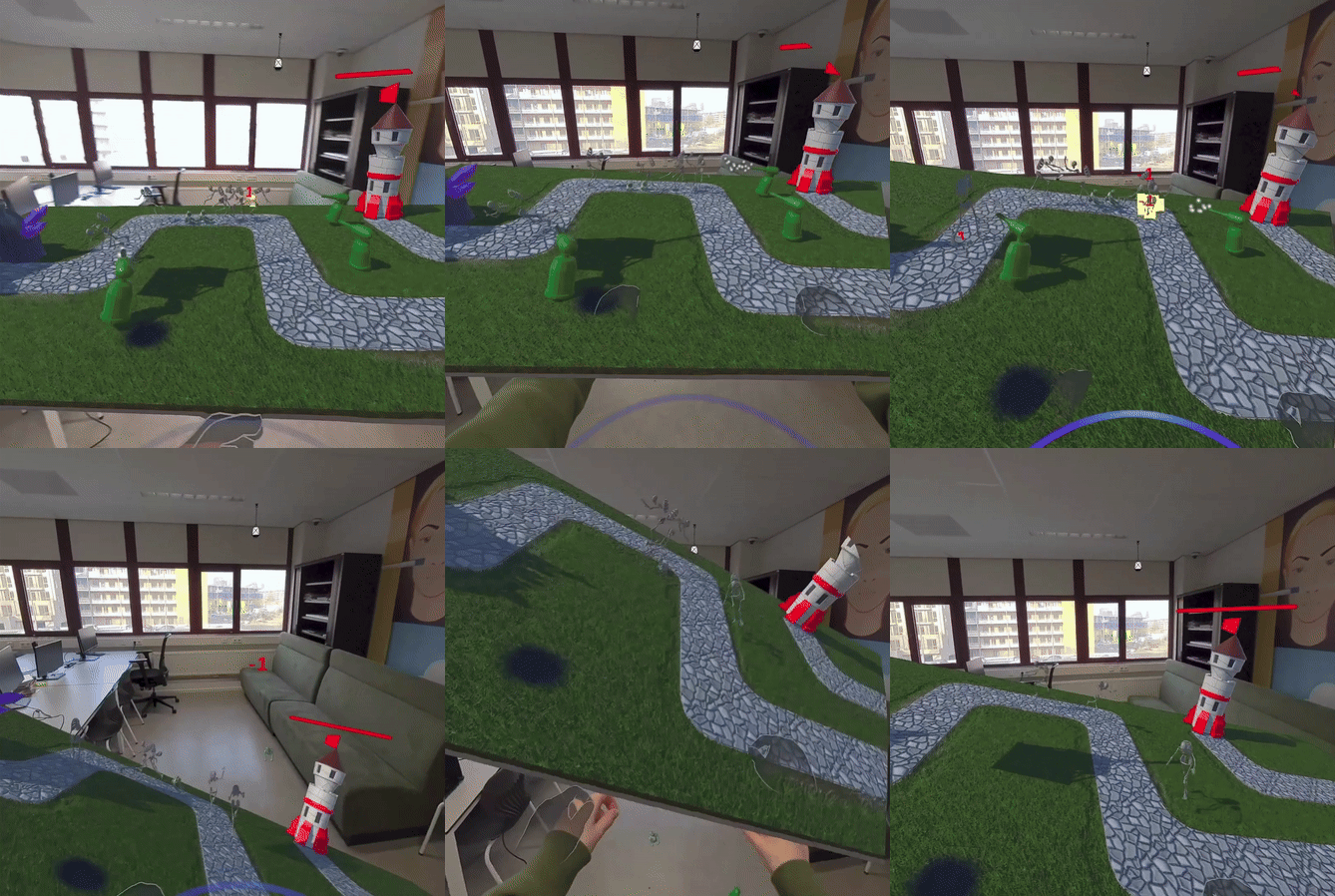
Clean the board!
You can even clean the board by flipping it!
This is the code to spawn waves of enemies
I didnt write this code from scratch but I modified it and helped with the general structure.
It spawns a wave of enemies every time the previous wave is defeated. The amount of enemies increases every wave.
using UnityEngine;
using System.Collections.Generic;
using System.Collections;

public class EnemyWaveSpawner : MonoBehaviour
{
    [SerializeField] private List spawnedEnemies = new List();

    public GameObject[] enemies1;
    public GameObject[] enemies2;
    // The instantiated clone enemy
    public GameObject cloneEnemy;

    [Header("Enemy waves")]
    private float enemyGroupAmount = 2;
    private float delay = 1f;

    // Countdown timer
    private CountdownTimer countdownTimer;

    private void Start()
    {
        countdownTimer = FindFirstObjectByType();
    }

    private void Update()
    {
        if (GameManager.Instance.canSpawnWave)
        {
            GameManager.Instance.canSpawnWave = false;
            SpawnWave();
        }
    }

    public void SpawnWave()
    {
        float waitForWave = 5;

        // Increase the enemies by 2 every new wave
        IncreaseEnemyGroupAmount(2);

        // Soundeffect
        AudioManager.Instance.PlaySFX(AudioManager.Instance.newWave);

        // Start countdown timer
        countdownTimer.remainingTime = waitForWave + 1;
        countdownTimer.cooldownActivated = true;

        StartCoroutine(WaitForSpawn(waitForWave));
    }

    // Wait a while before spawning a new wave
    private IEnumerator WaitForSpawn(float waitTime)
    {
        // First wave
        yield return new WaitForSeconds(waitTime);

        // Enemies in a row
        for (int i = 0; i < enemyGroupAmount; i++)
        {
            if (GameManager.Instance.currentRound == 1 || GameManager.Instance.currentRound == 2)
            {
                GameObject cloneEnemies1 = enemies1[Random.Range(0, enemies1.Length)];
                cloneEnemy = Instantiate(cloneEnemies1, transform.position, transform.rotation);
            }
            else
            {
                GameObject cloneEnemies2 = enemies2[Random.Range(0, enemies2.Length)];
                cloneEnemy = Instantiate(cloneEnemies2, transform.position, transform.rotation);
            }
            AddEnemies(cloneEnemy);

            yield return new WaitForSeconds(delay);
        }
    }

    // Increase spawning group size
    private void IncreaseEnemyGroupAmount(int amount)
    {
        enemyGroupAmount = enemyGroupAmount + amount;
    }

    // Add the instantiated enemies
    private void AddEnemies(GameObject addedEnemy)
    {
        spawnedEnemies.Add(addedEnemy);
    }

    // Remove the enemies in enemy script (when they die)
    public void RemoveEnemies(GameObject removedEnemy)
    {
        spawnedEnemies.Remove(removedEnemy);

        UpdateList();
    }

    private void UpdateList()
    {
        // Check if all the enemies are killed
        if (spawnedEnemies.Count == 0)
        {
            GameManager.Instance.enemiesKilled = true;
        }
        else
        {
            GameManager.Instance.enemiesKilled = false;
        }
    }
}
I also made the system for the enemies to follow the path
I did this with waypoints. The enemies follow the waypoints in order until they reach the end.
In the enemy script:
private void MoveToBaseState()
{
    Vector3 dir = target.position - transform.position;
    transform.Translate(dir.normalized * speed * Time.deltaTime, Space.World);
    RotateTowardsWayPoint();

    // When enemy is at waypoint go to the next
    if (Vector3.Distance(transform.position, target.transform.position) <= 0.1f)
    {
        GetNextWayPoint();
    }
}

private void GetNextWayPoint()
{
    // When at last waypoint
    if (wayPointIndex >= Waypoints.points.Length - 1)
    {
        AttackBase();
        return;
    }
    wayPointIndex++;
    target = Waypoints.points[wayPointIndex];
}

// Rotate towards waypoint
private void RotateTowardsWayPoint()
{
    Vector3 direction = target.position - transform.position;
    Quaternion targetRotation = Quaternion.LookRotation(direction);
    transform.rotation = Quaternion.Lerp(transform.rotation, targetRotation, rotationSpeed);
}
In the waypoints script:
using UnityEngine;

public class Waypoints : MonoBehaviour
{
    public static Transform[] points;

    private void Awake()
    {
        points = new Transform[transform.childCount];
        for (int i = 0; i < points.Length; i++)
        {
            points[i] = transform.GetChild(i);
        }
    }
}